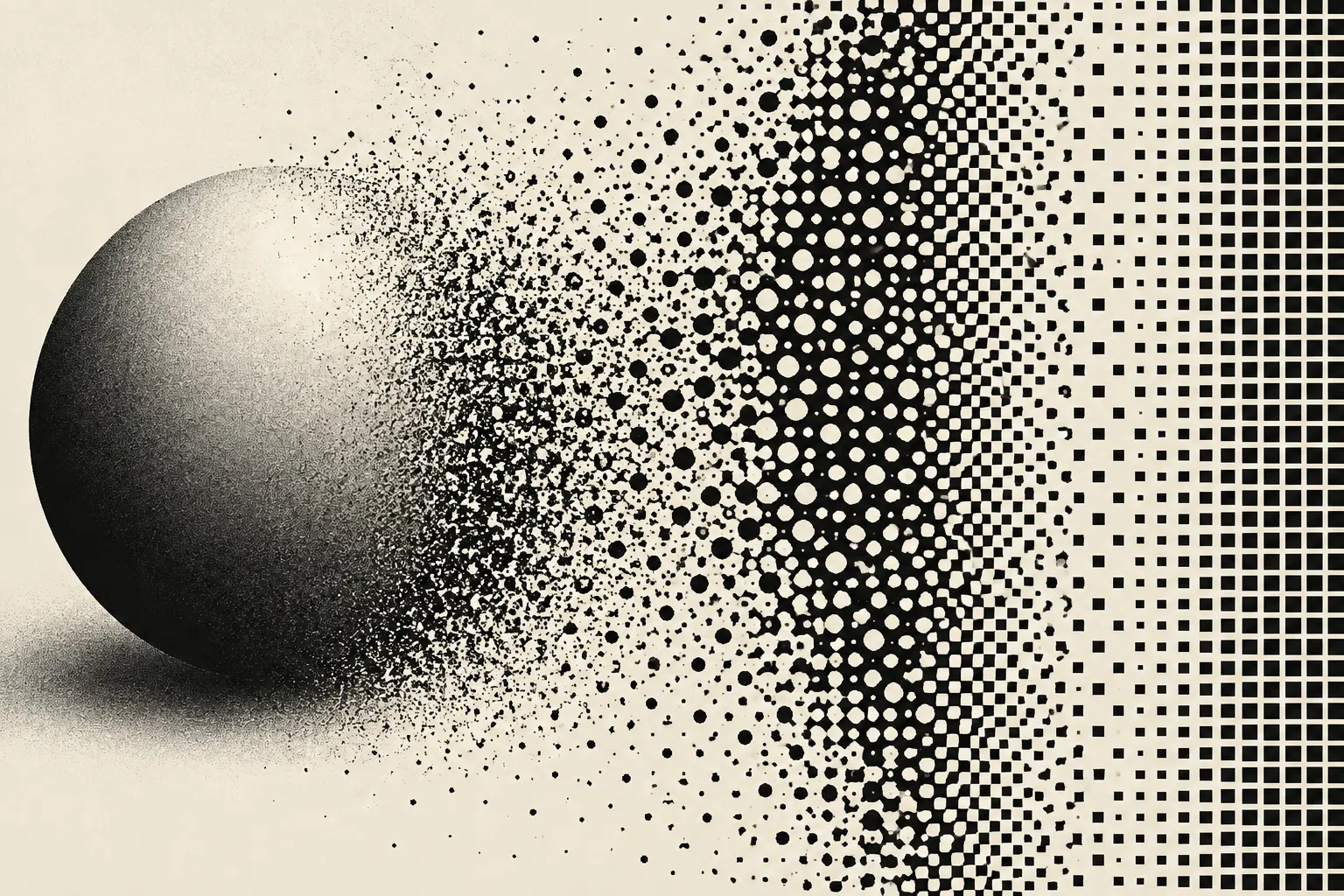
One-bit dithering turns a technical constraint into a visual choice. With only black and white available, it distributes pixels so the eye can perceive intermediate tones. Floyd–Steinberg and Atkinson do this by diffusing quantisation error to pixels that have not yet been processed; Bayer uses a repeating threshold matrix instead. The resulting patterns reveal three different ways to represent gradation—and help explain the monochrome aesthetic associated with the early Macintosh.
When an image is reduced to a limited palette, many of its original tones disappear. Quantisation assigns each pixel one of the available values; if a grey becomes black or white, the difference between the input and output values is the quantisation error. Dithering distributes pixels across the image so that, when viewed together, they suggest tones absent from any individual pixel. Up close, the pattern is visible; at a usual viewing distance, the eye blends the dots into texture and gradation.
Floyd–Steinberg: diffusing the error
Published in 1976 by Robert W. Floyd and Louis Steinberg, this algorithm quantises each pixel and passes part of its error to neighbouring pixels that have not yet been processed. In the usual distribution, the pixel to the right receives 7/16 of the error; the three pixels on the next row receive 3/16, 5/16 and 1/16. The weights add up to one, so the full error is distributed.
Diffusion often preserves gradations and tonal detail, though it can produce irregular grain or small chains of dots, especially in uniform areas. The result depends on the scan order: each pixel changes the values of those that follow. Floyd–Steinberg is therefore not the same as laying a fixed texture over an image; its pattern develops as the image is processed.
Atkinson: carrying only part of the error forward
Atkinson also scans pixels sequentially and diffuses error, but distributes it differently. Six pixels each receive one eighth: 6/8 is carried forward, and the remaining quarter is discarded. That choice changes the tonal balance. Dark areas tend to remain dark and bright areas bright, while midtones take on a distinctive stipple. The trade-off is that detail can be lost in deep shadows and highlights.
The method is associated with Bill Atkinson and the original Macintosh. Its connection with the appearance of early Mac images helped link one-bit dithering to a recognisable computing aesthetic. It does not mean that every monochrome image of the period was made with this algorithm: the source image, its preparation and the way it is displayed also matter.
Atkinson’s work makes more sense in the shared history of the Apple Lisa and the Macintosh. The Lisa went on sale on 19 January 1983. Atkinson developed QuickDraw for that project, a graphics library that later also became part of the Macintosh. The Lisa and Mac teams competed but also collaborated; their technologies and ideas intersected without making the two computers a single platform. The Macintosh went on sale in January 1984 and helped bring an integrated graphical interface to a wider audience. This context recognises the Lisa’s influence without automatically attributing to it the look of every Mac tool or image.
Bayer: a repeating threshold matrix
Bayer dithering belongs to a different family. Rather than calculating a pixel’s error and passing it to neighbours, it compares each position with a threshold matrix repeated across the image. Position determines the threshold: as the input brightness rises, more positions exceed it and turn light.
The pattern is regular and repeatable. A small matrix produces a more conspicuous screen; larger matrices can make the pattern appear finer. Unlike error diffusion, Bayer decides each pixel according to its position and the matrix value, not as compensation for neighbouring pixels. That regularity can be an advantage when a stable graphic texture is wanted, or a distraction when a less structured result is preferred.
What to look for when comparing the three
A greyscale image with a gradient, a shadow area and fine details makes the differences easier to see. For a clear comparison, keep the dimensions and two-tone palette the same. View each result at full size first, then enlarge it to 100%.
- Floyd–Steinberg: look for less regular grain and the tonal detail retained by distributing the full error.
- Atkinson: compare the contrast and note details that may disappear in shadows and highlights.
- Bayer: observe the regularity of the screen and how it changes with matrix size.
None is best for every image. A portrait, a smooth gradient and a small icon may benefit from different approaches. The final viewing size matters too: when an image is scaled, its pixels and the repeated matrix occupy a different amount of visual space.
The comparison also depends on more than the algorithm. Greyscale conversion, the number of tones, input adjustments and colour space can all change the result. Keeping those settings constant and retaining the original image helps distinguish the effect of the method from the preparation applied beforehand.
From technical constraint to aesthetic choice
Dithering cannot be reduced to one formula or a single “Macintosh look.” Each result reflects specific choices: whether to diffuse or discard part of the error, pass it to later pixels or set thresholds by position, preserve detail or make the pattern visible. Atkinson’s association with the original Macintosh is part of this history; it does not make one technique a universal explanation for the period’s monochrome images.
Today, tools and technical documentation make it possible to experiment with these differences. PixelSynth explains Atkinson’s error distribution and offers a way to compare methods; ASCII Magic provides a generator with several algorithms; Dithering Studio presents a tool for images and video. Albumentations’ documentation distinguishes ordered Bayer dithering from error diffusion and allows methods and parameters to be selected in code.
Understanding how each pattern forms makes one-bit images easier to read and helps match a method to the effect you want. Dithering is not an interchangeable filter: it is a way to decide how pixels are distributed, which details survive and what texture an image acquires.
- Decade
- 1980s
- Region
- North America
- Level
- Enthusiast
- Entities
- Macintosh
Sources and references 8
- Floyd-Steinberg dithering - Rosetta Coderosettacode.org · 2026-11-21
- Atkinson Dithering: How It Works | PixelSynthpixelsynth.art · 2026-11-21
- Ordered Dithering (Bayer) in Processing : From Basics to Levelsbarbegenerativediary.com · 2026-11-21
- Ditherpunk — The article I wish I had about monochrome image dithering — surma.devsurma.dev · 2026-11-21
- albumentations.augmentations.pixel.dithering_functionalalbumentations.ai · 2026-11-21
- The Lisa: Apple's Most Influential Failurecomputerhistory.org · 2026-11-21
- Milestones:Apple Macintosh Computerethw.org · 2026-11-21
- Online Dithering Tool for Images & Videosditheringstudio.com · 2026-11-21