CP/M was more than an operating system: it made it possible for the same application to reach computers from different manufacturers without being completely rewritten for each machine. In the era of 8-bit microcomputers, that promise of compatibility helped create a shared software market. But it did not make every machine alike. Portability rested on a layered architecture and still required adjustments for hardware, peripherals and floppy disks.
A platform built in layers
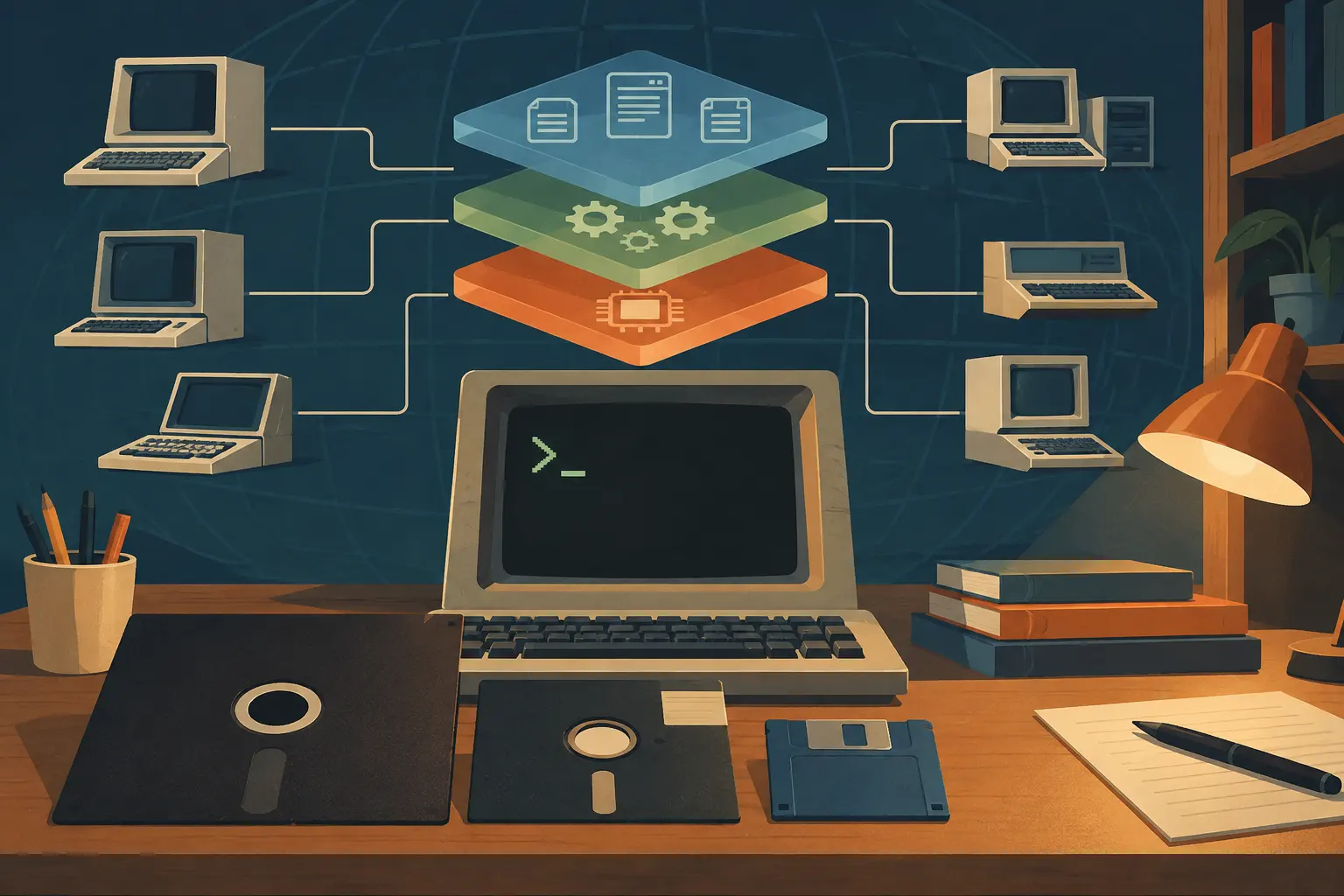
In CP/M-80, the BIOS contained the routines that connected the system to the hardware; the BDOS provided disk services and file operations; and the CCP accepted commands typed at the console. Much of the system could remain the same across machines, while each manufacturer adapted the BIOS to its drives, terminals and ports. This division reduced the work involved in bringing programs to new computers and helped make CP/M a kind of “software bus.”
Everyday use took place at a command line. The A> prompt identified the active drive: DIR listed files, TYPE displayed text, and PIP copied files. Executable programs commonly used the .COM extension. To start an application, users selected a drive and typed its name; interaction took place through text commands and responses rather than windows.
The interface was direct, but it required familiarity with its conventions. Some commands did not explain their purpose in their names: PIP, for example, was the file-copying utility. Each program could also have its own options and parameters. Learning to use the system meant mastering both its commands and the instructions specific to individual applications.
From text to executable program
CP/M included tools for several stages of programming. ED was used to edit text; ASM to assemble; LOAD to convert hexadecimal files into executables; and DDT to examine and debug programs. Compilers and interpreters for languages such as BASIC, Pascal and PL/I were also available, although the tools on hand depended on the version and the package installed on a particular computer.
A practical example appears in an Ubuntu Peronista article about emulating an Altair Z80 with CP/M 2.2. Its walkthrough shows how to write a short assembly program with ED, assemble it with ASM, and use LOAD to produce a .COM file. It also describes MBASIC and running applications such as WordStar, dBase and Multiplan from separate disks. This is a concrete example of one working environment, not a universal setup for every CP/M installation.
That sequence of editing, assembling and running a program illustrates how closely the system was tied to its utilities. Users did not need a graphical environment to create software, but they did need to know the tools, file formats and order of commands. The command line was both the interface and the workspace.
The everyday limits of portability
The division between the BIOS and BDOS reduced the amount of software that needed adaptation for each computer, but it did not erase machine-specific differences. The BIOS had to be tailored to the hardware, and many applications required configuration for a particular terminal or printer. A program could run on several systems and still need changes for keys, screen-control sequences or output devices.
Memory availability varied as well. CP/M-80 could run with a comparatively small amount of RAM, but the space left for applications depended on how much a particular machine reserved for the system and its devices. CP/M 3 expanded the possibilities through bank-switched memory and was designed to retain compatibility with CP/M 2.2 applications.
Floppy disks posed another obstacle to exchange. CP/M provided a common logical structure, but there was no universal 5.25-inch format. Manufacturers and models used different geometries and sector layouts, so a disk readable on one computer might not work on another. Sharing software could require a copy in the appropriate format or transferring files by another means. Program portability did not guarantee physical compatibility between disks.
A legacy in personal computing
The CP/M software library included word processors, spreadsheets, databases, compilers and development tools. WordStar, dBase, Multiplan and Turbo Pascal were among the programs associated with this environment before spreading to other platforms. A broad range of applications made the system more attractive, while CP/M’s use on different machines expanded the potential audience for those programs.
Some conventions carried over into later systems. Drive letters and filenames with up to eight characters followed by an extension of up to three are among the similarities inherited by MS-DOS. Some command-line habits continued as well. The shift to the IBM PC, however, involved more than a change of interface: CP/M’s varied floppy formats and the advance of systems compatible with the new standard helped weaken its position.
CP/M reveals the balance microcomputer makers were trying to strike: providing common ground without erasing differences between machines. Its success made it possible to share applications on a then-unusual scale, but interoperability depended on machine-specific BIOS versions, configuration and compatible media. That combination of portable software and diverse hardware is central to CP/M’s historical importance.
- Decade
- 1980s
- Region
- Global
- Level
- Enthusiast
- Entities
- Disquete, IBM PC, MS-DOS
Sources and references 5
- Los órganos de programación en la Administración públicadoi.org · 2026-11-19
- La programación de los trabajos en una unidad administrativadoi.org · 2026-11-19
- Modelo matemático de programación no lineal para optimizar utilidades en los créditos en el sistema financierodoi.org · 2026-11-19
- CP/Mtranslate.google.com · 2026-11-19
- ¿Cómo emulo un sistema operativo CP/M para procesador ...ubuntuperonista.blogspot.com · 2026-11-19