Old software often reaches us as a downloadable file, a screen that boots again, or a list of versions. That doorway can be compelling, but it conceals a larger question: what does it mean to preserve a program when its operation depended on a machine, an operating system and habits of use that are no longer present? The digital collections described in the sources approach that question in different ways. They are not interchangeable, and the available information is not enough to certify the present condition of each resource. It does, however, support a cautious guide to reading them: distinguishing access from preservation, and operation from historical understanding.
A program never arrives alone
An isolated executable says little about the conditions for which it was created. The history of operating systems presented by the Universitat Politècnica de Catalunya reminds us that computing did not begin with today’s environments: early generations of computers were used differently, and the idea of an operating system changed over time. This helps explain why old software is more than its code or interface. The compatible machine, storage formats, peripherals and working practices that gave it meaning also matter.
That does not mean every collection has to reconstruct an entire era. It means asking which part of the experience it makes visible. Is a system image shown? Can visitors interact with it? Are the components bundled with an installation identified? Is there enough information to connect what appears on screen to its context? These are useful questions, not claims about specific resources when the available source does not answer them.
Three ways into the past
The sources describe initiatives of different kinds. An article about WinWorld presents it as a combination of museum and virtual community devoted to retro software, including programs, systems and earlier or beta versions. The Historical Software Collection at Internet Archive is described as a library accessible through a browser and emulation. Reports about the Virtual OS Museum, by contrast, describe a downloadable project that runs in a virtual machine. Their published details and figures differ, so they are not treated here as an independent audit. This is a different access method from the browser emulation described for Internet Archive.
The distinction between a program library and a collection focused on operating systems matters. The former invites visitors to examine varied items; the latter may focus on how the computing environment that made applications possible was organised. The sources do not support comparisons of completeness, preservation quality, individual file permissions or present-day availability. The label “museum” can encompass different kinds of work: cataloguing, interactive access, community or technical context.
Emulation is not time travel
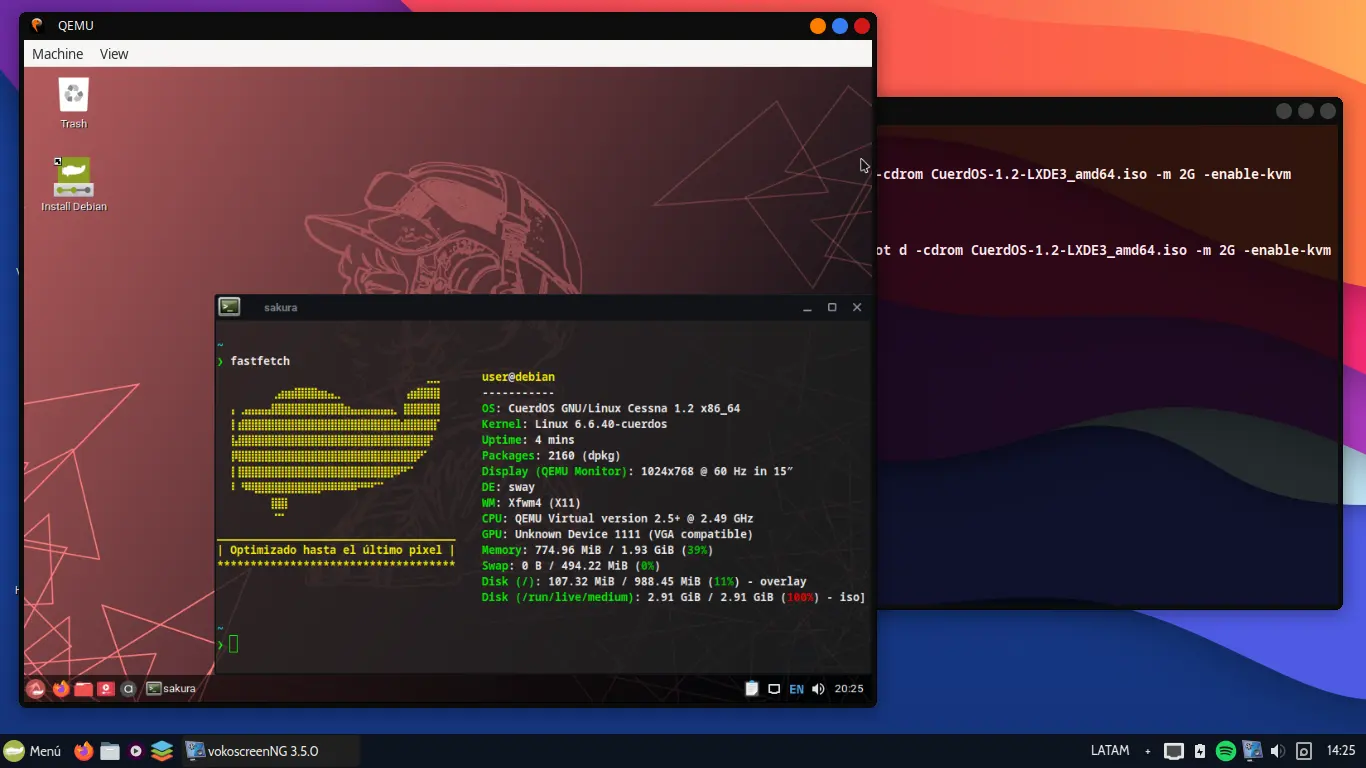
Emulation can make a program respond again on a modern device. The description of Internet Archive’s collection mentions an emulator running in a browser. Reports about the Virtual OS Museum instead describe downloading and running a virtual machine. These are different forms of access, neither of which automatically reproduces the past perfectly.
A program’s behaviour may depend on the configuration of the emulated environment, display, keyboard, input devices and host system. A session that starts successfully does not by itself prove that every feature has been preserved or that the installation represents typical use in its own era. Emulation enables access and study; assessing fidelity requires testing and documentation.
What to look for in a collection
A productive visit begins with provenance and description. Check whether the resource identifies the program, its version, its associated system or machine, and the elements included in an installation. Tools and programs presented alongside an operating system may help suggest a working environment, even if they cannot reconstruct every possible use.
It is also sensible to distinguish between being able to view, run and reuse something. The possibility of downloading or running a file does not demonstrate permission for every kind of reuse. Conditions must be checked for each item; access is not blanket permission. Likewise, a descriptive page does not establish that a system remains available or works today. A browser demonstration or downloadable virtual machine can support exploration, but should not be mistaken for a complete preservation copy.
The value of limits
Caution does not diminish the interest of these initiatives; it makes their description more accurate. The WinWorld article refers to a library and a community, but does not establish its coverage. The Internet Archive article explains access through emulation, but does not by itself document the history of every program. Reports about the Virtual OS Museum describe a downloadable virtual machine and differ in their details; they do not establish figures or capabilities here as independently verified facts.
The UPC page is a historical guide to operating systems, not an inventory of collections. Each reference answers a different question. Reading them together can broaden the picture, but does not turn them into a single comprehensive source.
A personal archive case: Salman Rushdie at Emory
Salman Rushdie’s digital archive helps show why preserving born-digital files involves more than keeping documents. In a 2010 post, a guest author on UCL’s Digital Humanities blog described work then underway at Emory involving three laptop computers, an external hard drive and paper materials. The post presented the collection as a case study in preservation, access and the value of preserving the computing environment alongside the files. It is a historical account of that stage, not a description of current services.
In 2011, a Library of Congress article about the artifactual elements of born-digital records explained that emulation could let researchers use a workstation in Emory’s reading room to explore programs, directories and files in an environment recreating Rushdie’s native digital environment. That article is also historical: it helps explain how context and user experience were discussed at the time, but should not be taken as a guarantee that the same system is reproduced exactly today.
Emory’s current information is more limited and specific. Rose Library says it provides access to the processed portions of Rushdie’s digital archive via a laptop in the reading room. The workstation lets researchers search and browse his computing files and interact with a simulation of his original computing environment via emulation. Emory says additional data may also be available in the reading room as it is processed. This describes the access the library says it provides; it does not by itself establish complete fidelity to the original computer or that all files are available.
It helps to separate three questions. Access: which processed materials can be consulted, and where and on what device? Fidelity: which aspects of the original environment does the simulation reproduce, and what limitations, differences or undocumented elements remain? Reuse: what uses are allowed under the rights and conditions applicable to each item? Emory cautions that, in most circumstances, the library does not hold copyright to materials in its collections and therefore cannot grant or deny permission to use them. It can provide available information about rights holders, but cannot guarantee that it is accurate. For specific permissions questions, Emory directs researchers to contact Rose Library. Being able to consult a file therefore does not, by itself, grant permission to publish or reuse it.
When exploring this collection—or any digital archive—it may help to ask:
- Which parts have been processed and are available for consultation, and which remain unavailable for now?
- What does the interface allow a researcher to do: search and browse files, interact with a simulation, or both?
- What evidence or documentation explains the relationship between the simulation and the original environment, and what limitations are known?
- What rights conditions apply to the use I have in mind, and whom should I contact about specific permissions questions?
The Rushdie case does not turn emulation into a time machine or a universal solution. Rather, it shows how access to files and a contextual simulation can open new possibilities for research, while documentation, limitations and reuse conditions remain essential to preservation.
Preservation means making software legible
Interactive access has a particular power: it lets us see that software was a tool people used, not merely an object stored in a box. Yet preservation also means recording versions, dependencies, provenance and the limits of the experience. A returning interface can spark curiosity; context helps turn that curiosity into knowledge.
So, when exploring old software, ask not only “Can I run it?” but also “What am I seeing, under what conditions, and which parts of its history remain outside the frame?” Digital libraries and virtual museums open different paths into computing’s past. Their greatest contribution is not making time disappear, but allowing us to examine its traces with present-day tools and a clear awareness of what we still do not know.
References
- Virtual OS Museum: The great encyclopedia of software for nostalgics and experts
- History of operating systems
- WinWorld: A museum of old software with all kinds of old programs and systems to download and enjoy in community
- The Historical Software Collection of The Internet Archive
- The Virtual OS Museum lets you emulate more than 1700 operating systems created since 1948
- Emory Rose Library: Preparing for a Research Visit
- Library of Congress: The Artifactual Elements of Born-Digital Records, Part 2 (2011)
- UCL DH2010: Born Digital (2010)
- Decade
- 2000s
- Region
- Global
- Level
- Enthusiast
- Entities
- Virtual OS Museum, Museum, Internet, Cuatro, Internet Archive
Sources and references 8
- Historia de los sistemas operativoswww.fib.upc.edu · 2026-09-25
- Museo Virtual de Sistemas Operativos: La gran enciclopedia del software para nostálgicos y expertosvidabytes.com · 2026-09-25
- WinWorld: un museo del software antiguo con todo tipo de programas y sistemas antiguos para descargar y disfrutar en comunidadwww.microsiervos.com · 2026-09-25
- La Colección de Software Histórico de The Internet Archivewww.neoteo.com · 2026-09-25
- El Museo Virtual de OS te permite emular más de 1700 sistemas operativos creados a partir de 1948es.gizmodo.com · 2026-09-25
- Emory Rose Library: Preparing for a Research Visit · 2026-11-15
- Library of Congress: The Artifactual Elements of Born-Digital Records, Part2 (2011) · 2026-11-15
- UCL DH2010: Born Digital (2010) · 2026-11-15